User Controls
Each preset can include interactive controls such as sliders, optionally paired with dropdown menus.
User controls can be programmed to trigger MIDI messages to any port when the Midi Router Client receives program changes
Only the controls associated with the currently selected preset are displayed.
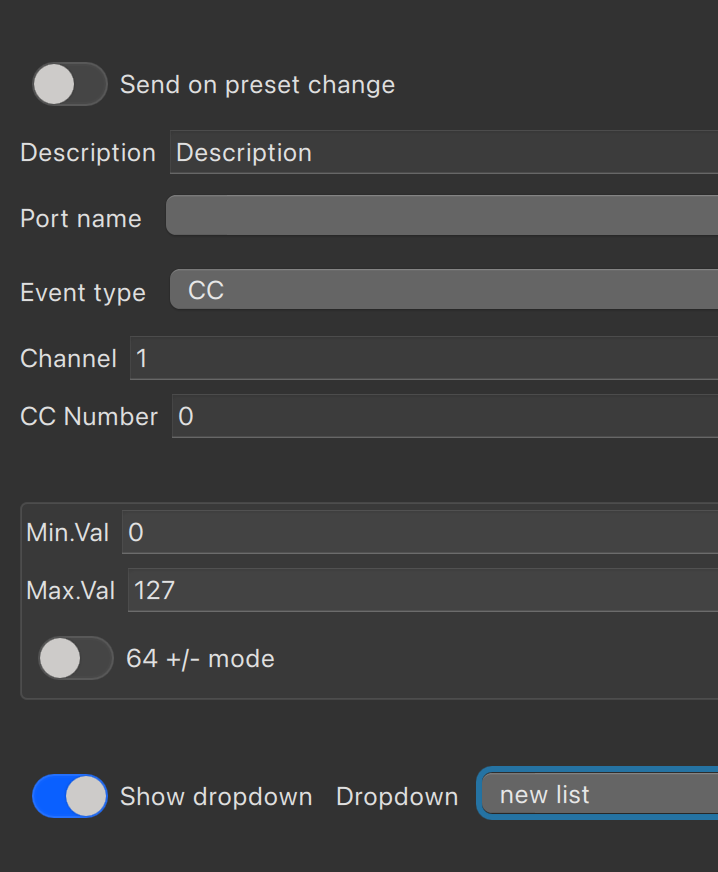
These controls send MIDI events to a predefined local port. The following MIDI event types are supported:
- Control Change (CC)
- Program Change
- NRPN (Non-Registered Parameter Number)
The is64Mode flag interprets the value 64 as the center or zero point, commonly used for bipolar ranges.
Dropdowns can also be used to store and select predefined preset names or send custom commands.
Screenshots
Figure 1: User Controls Panel
The main controls view showing available sliders and dropdowns for the active preset.
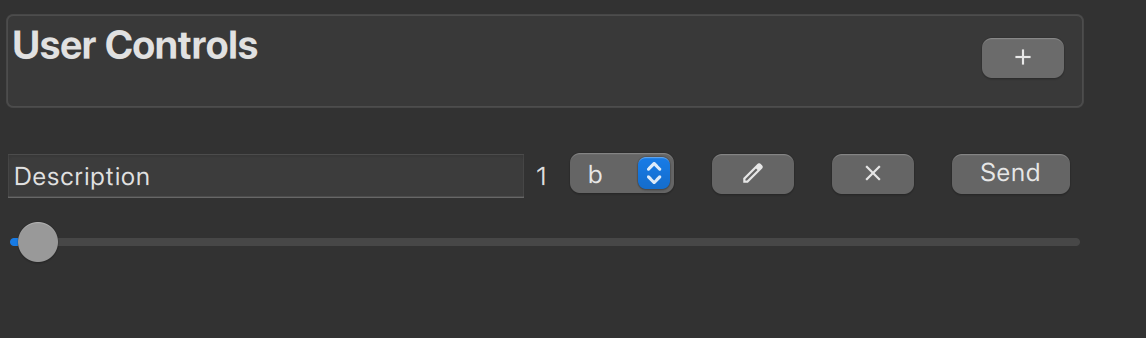
Figure 2: Individual Control Configuration
Detailed settings for a single control (e.g., CC range mapping, event type).
See Also
- Getting Started — Quick onboarding guide
- Presets — Organize controls in presets
- Supported Dropdown Commands — Advanced dropdown features
- Glossary — MIDI terminology reference